Fernsprecher: the OXO Connect in the macOS menu bar
by Michael Hampicke
Telephony
Fernsprecher is a lightweight Mac alternative to PIMphony, Alcatel's desktop client for the OXO Connect. I built it for a company that runs its phones on an OXO and has Macs on some of its desks. PIMphony shows who called, looks up colleagues and switches call forwarding, but it only runs on Windows, and there was nothing for the Mac that worked the way the company wanted.
Fernsprecher sits in the macOS menu bar and shows what happens on your extension. The conversation itself still runs on the desk phone. The app handles everything around it: the call log with call back, the phone book, the missed call count, answering and hanging up, and call forwarding.
Fernsprecher is free and open source under the MIT licence. The code lives on GitHub: github.com/mgeha/fernsprecher
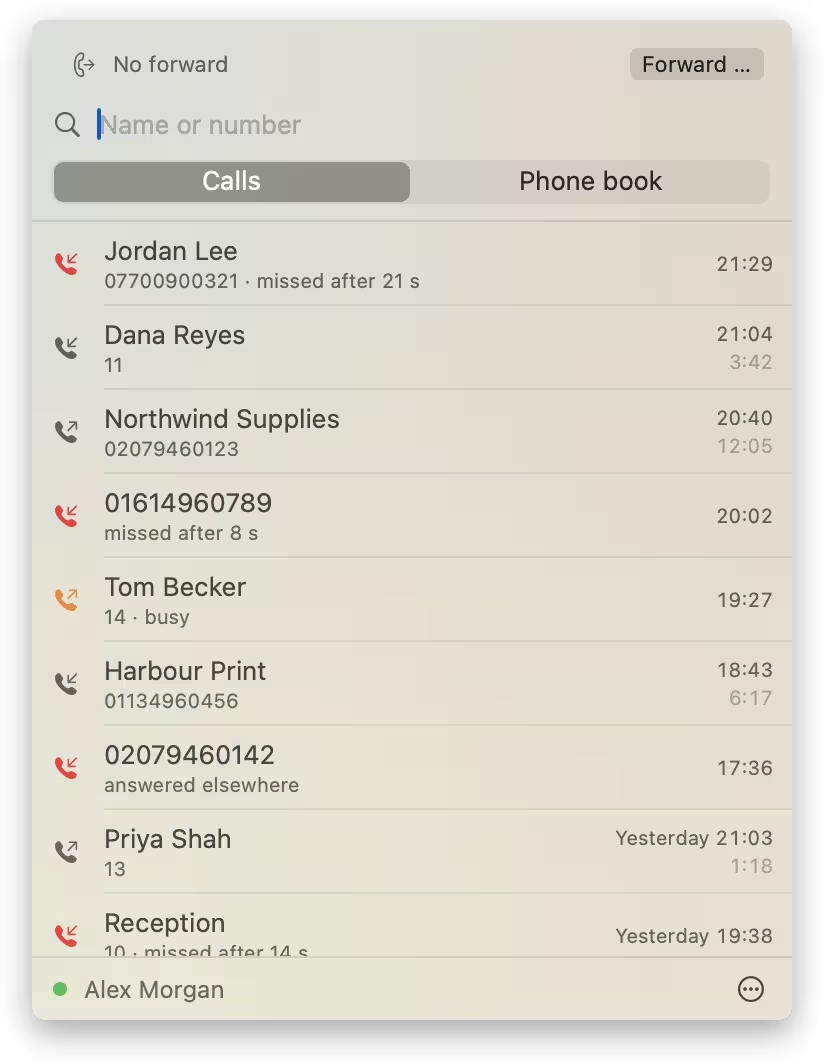
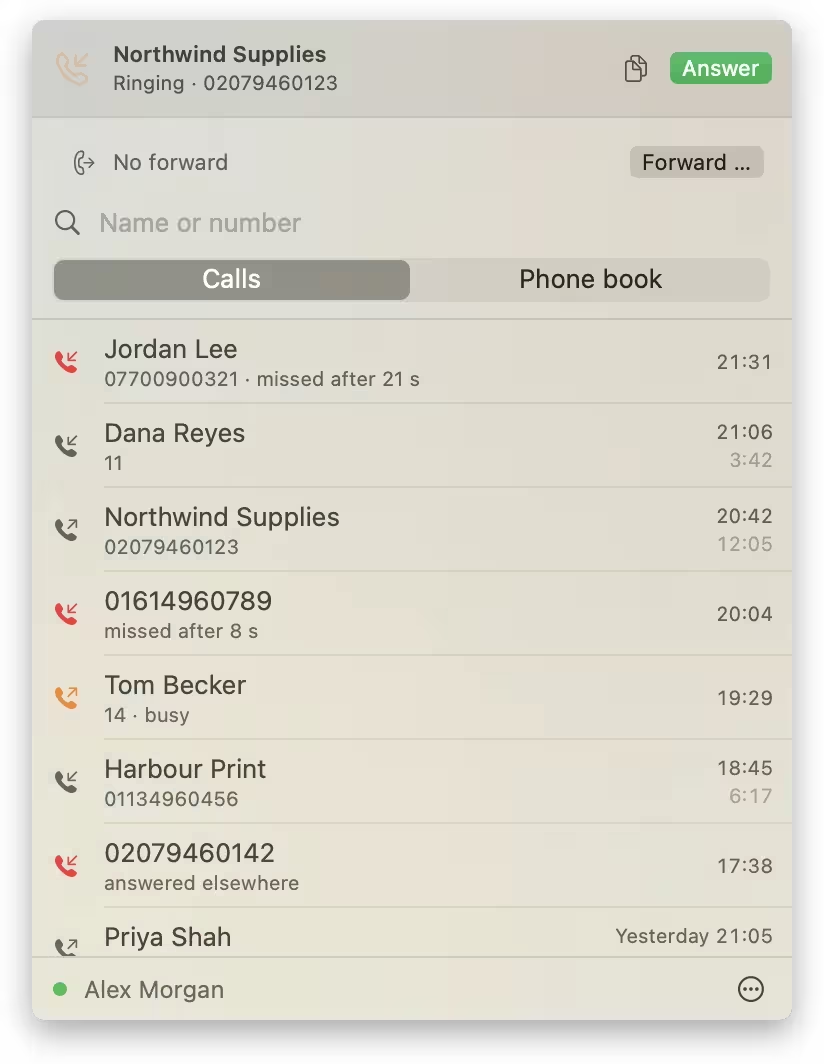
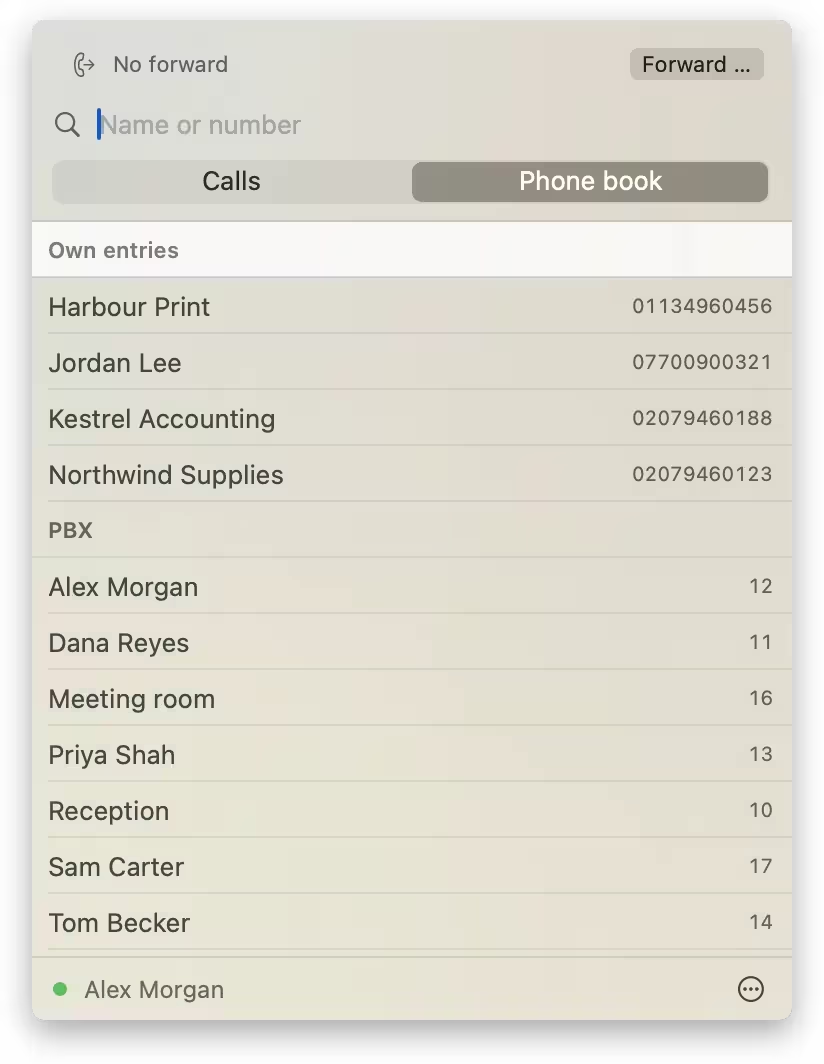
A few details make it more than a list of calls. "Answer" picks the call up hands-free on the desk phone, so you can take a call while your hands are still on the keyboard. Opening the menu marks missed calls as seen, and the counter on the phone goes down with it. When you call back from the log or the phone book, the app adds the trunk prefix to external numbers itself. And the bar above the search field shows whether forwarding is active, even when it was switched on at the phone.
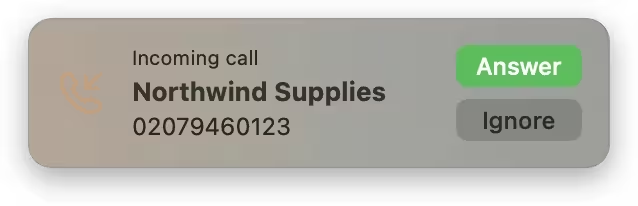
An optional popup at the top right announces incoming calls without taking focus:
The name is the old German word for telephone, literally "far speaker", as it stood on the Bundespost's phone booths.
Installation
Fernsprecher needs macOS 14 or later, on Apple Silicon or Intel. The zip file and its SHA-256 checksum are on the releases page. The app is signed ad hoc and not notarised, so macOS blocks the first launch. Click "Open Anyway" under System Settings › Privacy & Security, or remove the quarantine attribute beforehand:
xattr -dr com.apple.quarantine /Applications/Fernsprecher.appThen enter the PBX address, your extension and its PIN under "Set up …" in the menu.
How it talks to the PBX
Everything in this section was worked out from captured traffic and from trying requests against the company's PBX.
The OXO Connect has an XML Web Services interface on port 443. It is SOAP 1.1 in the old RPC/encoded style: structured parameters are not nested inside the call but passed as separate blocks that the call references with href, and one of the type namespaces has to be written as xmlapi.alcatel.com/oxo/types, without http://. Every request is a POST to /services/xmlsrv/services/ plus the service name: XmlPhone for the extension, XmlOxo for system information and XmlApp for events.
A session starts with a login using the extension and its PIN, and the session ID from the answer goes into every following request. Simplified, the login looks like this:
<soap:Body soap:encodingStyle="http://schemas.xmlsoap.org/soap/encoding/">
  <tns:login><invoke href="#id1" /></tns:login>
  <q:UserLogin id="id1" xsi:type="q:UserLogin" xmlns:q="http://xmlapi.alcatel.com/phone/types">
    <loginName xsi:type="xsd:string">10</loginName>
    <password xsi:type="xsd:string">1234</password>
  </q:UserLogin>
</soap:Body>
Live updates arrive over one long-running request. startSubscribeApp on XmlApp keeps the HTTP response open and streams SOAP envelopes back to back. Between calls only an occasional e_ping comes through, so the client needs a generous read timeout; the app allows 150 seconds. The first envelope contains a subscription ID, and only after a subscribe call binds it to the phone session do call events such as e_callChange arrive. The application ID has to be exactly OXOWebServices, any other value is answered with 4 UnknownUser. If the stream breaks, the app reconnects after 5 seconds and backs off to 60.
The PBX I built it against, an OXO Connect R63, has a few habits that shaped the app. It allows one session per extension: a new login ends the old one and announces that with an e_newSession event. Fernsprecher therefore does not grab the extension back when PIMphony or another client logs in on it. It reports "Session lost" and waits until you click "Reconnect".
Forwarding needed the most care. activateForward is accepted and then ignored. setForwardState works, but it answers without a status, even when the PBX quietly discards a target it does not allow. The app reads the state back after every change and tells you when a forward did not stick. Forwarding on no answer lives elsewhere, as "dynamic routing", and needs its own request to read and cancel.
The full list of requests, intervals and retries is in docs/protocol.md.
The certificate
The OXO I worked with presents a self-signed certificate. Rather than switching the check off, Fernsprecher remembers the certificate's SHA-256 fingerprint on the first connection and from then on talks only to that certificate. If the fingerprint changes, the app stops and shows the old and the new one. A PBX with a certificate from a company CA can use the normal system check instead.
oxoctl
To try a single request without the app, the repository contains a small command line tool:
swift run oxoctl 192.168.1.10 --line 10 --password-file ~/.oxoctl-pin calllog 20
swift run oxoctl 192.168.1.10 --line 10 --password-file ~/.oxoctl-pin forward 11
swift run oxoctl 192.168.1.10 --line 10 --password-file ~/.oxoctl-pin monitor
Like any other client, its login ends the app's session on the same extension.
Limitations
Fernsprecher has only been tested against that one R63. It assumes extensions with at most four digits and reads at most 500 entries of the PBX directory. It is a private project and not affiliated with Alcatel-Lucent Enterprise. Bug reports are welcome on GitHub; please include the OXO release and the app's log lines:
log show --last 1d --info --predicate 'subsystem == "de.1lov.fernsprecher"'
Comments
Add a comment